
Wiki de Command An Army en Roblox — Códigos, Unidades y Formaciones
Recluta tropas, mejora unidades, captura objetivos y decide cuándo atacar o defender en batallas por equipos.
Guías más recientes
Empieza aquí
Tu camino en Command An Army
Páginas populares
Tendencias
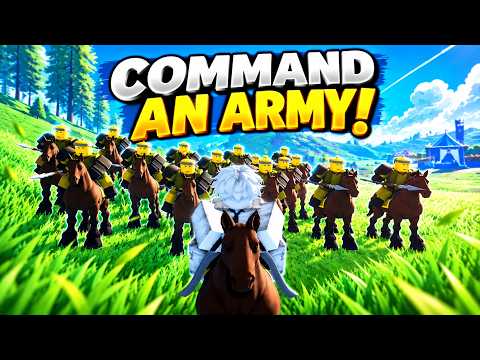
¿Qué es Command An Army?
Command An Army es un campo de batalla táctico de Roblox creado por Fight, Fight, Fight!. Recluta tropas de IA, organiza formaciones, captura puntos y decide si tu ejército ataca o defiende.
La progresión combina colección y mejora de unidades, gemas, clases, counters y coordinación de equipo.
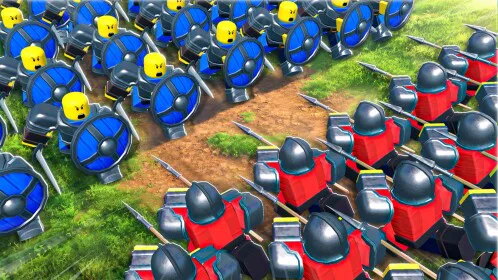
Developer
Fight, Fight, Fight!
Platform
Roblox
Genre
Action / Tactical Battleground
Total Visits
17.7M+
Like Ratio
96.3%
Max Players
12
Explora Command An Army
Elige un sistema para preparar tu próxima batalla.
Command An Army Codes
Redeem the latest working Command An Army codes for free Gems used around troop summoning and progression. The current verified September 2026 set contains six active codes, including SHIELDBREAKER and SORRY from the New Units update window.
SHIELDBREAKER700 Gems
SORRY1,000 Gems
OPTIMIZE700 Gems
WAR500 Gems
RELEASE500 Gems
CONQUER500 Gems
Command An Army Beginner Guide
Command An Army is a team-versus-team Roblox battler where you fight alongside AI troops, capture objectives, and decide whether to attack or defend. New players should learn the command system first, use starter troops before overspending Gems, and build around the Star Limit shown on their account.
- 1Finish the tutorial and choose a starter troop so you can learn the basic match loop before spending Gems.
- 2Enter a team battle and identify whether your side is attacking or defending before moving your army.
- 3Use Follow to regroup troops, Hold to defend ground, Attack to engage a target, and Rush when you need an aggressive commitment.
- 4Fight around capture points because the official game loop is built around taking or protecting battlefield objectives.
- 5Earn and redeem Gems, then use summons to expand the troops available for your army.
- 6Check your Star Limit before equipping stronger units so the combined cost of the active army stays legal.
Command An Army Units Guide
Troops are the core collection system in Command An Army, and different units cover frontline, ranged, cavalry, and specialist roles. The roster now includes launch units plus the September New Units additions, so a unit guide is more useful than treating every high-star summon as automatically best.
A 1-star melee starter unit and the beginning of the Mercenary evolution line.
A 1-star defensive starter designed for frontline protection and holding ground.
A 1-star polearm starter used as an inexpensive melee option.
A 1-star ranged starter and the base of the Archer evolution path.
A 2-star cavalry unit that gives a roster a mobile troop option.
A 3-star ranged summon used as a higher-cost backline option.
A 4-star special melee unit from the high-star summon pool.
A 4-star special melee unit that consumes a large share of an early Star Limit.
Command An Army Formations Guide
Ordering troops is one of the defining mechanics in Command An Army and matters as much as collecting stronger units. Follow, Hold, Attack, and Rush let commanders regroup, defend, focus targets, or commit forward pressure depending on the state of the capture point.
Orders your troops to move with you and is useful for regrouping or rotating between objectives.
Keeps troops on a position and is the natural command for protecting a capture point or defensive line.
Commits troops toward a selected enemy or contested area when your team needs focused pressure.
Sends troops forward aggressively and is best treated as a committed push rather than the default movement order.
A defensive formation associated with holding a line and protecting troops behind the frontline.
An offensive formation used to concentrate pressure into a forward push.
Command An Army Star Limit Guide
The Star Limit controls which combination of units can be equipped at the same time, making army building a capacity problem as well as a collection problem. Higher-star troops can be powerful, but using one too early may leave too little room for the rest of a balanced four-unit loadout.
- 1Open the unit management screen and check the current Star Limit shown for your account.
- 2Read the star value on each troop you want to equip before building the final loadout.
- 3Add the star values together and keep the total at or below your current Star Limit.
- 4Remember that a high-star summon can be owned even when your current account limit is too low to fit it into the active army.
- 5Gain account levels through play to increase the amount of star capacity available for stronger combinations.
- 6Rebuild the squad after major summons or evolutions because the best legal loadout changes as star costs and capacity rise.
Command An Army Evolution and Ascension Guide
Evolution and Ascension are long-term troop progression systems that become important after the early summoning phase. Evolution changes eligible units into stronger forms, while Ascension uses duplicate copies to improve troops further, so valuable duplicates should not be discarded before checking upgrade requirements.
Mercenary progresses through Squire and then Knight in the documented evolution line.
Shieldman progresses into Sentinel and then Imperial Wall.
Scout Rider progresses into Cavalryman and then Lancer.
Spearman can evolve into Pikeman.
Archer is an evolution-line unit and the New Units cycle expands its later ranged progression.
Ascension uses duplicate copies of the same troop as part of permanent unit progression.
Command An Army Attack and Defense Guide
Every Command An Army battle revolves around the choice to break the opposing line or hold your own. Attackers need coordinated pushes onto capture points, while defenders get more value from controlling space, keeping troops together, and forcing the attacking side into prepared positions.
- 1Check your assigned side at the start of the battle so your first troop order matches the actual objective.
- 2As an attacker, regroup with Follow before committing the army toward the contested capture point.
- 3Use Attack when your team is ready to focus the objective or an enemy formation blocking the advance.
- 4As a defender, use Hold to keep troops protecting valuable ground instead of chasing enemies away from the objective.
- 5Save Rush for a decisive push, retake, or broken enemy line rather than spending it immediately into a prepared defense.
- 6Upgrade and change troops between battles when your current army repeatedly fails at the same frontline, ranged, or mobility task.
Command An Army New Units Update Guide
The live Roblox title currently highlights the New Units update, making the latest troop additions a high-value search topic for returning players. Update 1 expanded the roster with new spear, halberd, javelin, mace, and ranged progression options while also rotating the active Gem-code pool.
A 2-star Update 1 unit that progresses into the 3-star Spear Vanguard.
A 2-star Update 1 troop with an evolution into Imperial Halberder.
A 2-star Update 1 unit that progresses into Elite Javelineer.
A 3-star ranged addition tied to the New Units update cycle.
A 3-star melee addition introduced with the September New Units update.
SHIELDBREAKER, SORRY, OPTIMIZE, and CONQUER are part of the current active-code pool during the New Units update window.
Preguntas frecuentes
Respuestas rápidas sobre Command An Army.
Lee la batalla y dirige el ejército
Consigue gemas, forma un equipo equilibrado y mejora tus ataques, defensas y capturas.